Michael Irwin
All things Docker Compose!
#1about 2 minutes
Overcoming the friction of new developer onboarding
Setting up a new development environment is often a slow and error-prone process that hinders productivity on day one.
#2about 2 minutes
Running single services easily with Docker Desktop
Docker Desktop allows you to quickly search for and run isolated services like Mongo or Jupyter Notebooks without complex installation.
#3about 2 minutes
The ideal goal of a one-command project setup
The ultimate goal for any project should be the ability to `git clone` and `docker-compose up` to start development immediately.
#4about 3 minutes
Start by containerizing external dependencies like MySQL
The first step to containerizing an application is to replace manually installed dependencies like databases with a container, requiring minimal code changes.
#5about 4 minutes
Converting a docker run command to a compose file
A long `docker run` command can be translated into a declarative and shareable `docker-compose.yml` file using services, ports, environment variables, and volumes.
#6about 5 minutes
Adding debugging tools and managing service dependencies
You can easily add services like phpMyAdmin to your stack and manage startup order and networking with `depends_on` and automatic DNS resolution.
#7about 5 minutes
Using bind mounts for live code development
Bind mounts share your local source code directly with a container, enabling instant feedback and hot reloading during development.
#8about 3 minutes
Improving file performance with Compose Watch
Compose Watch is an experimental feature that avoids the performance overhead of bind mounts by syncing file changes or rebuilding images automatically.
#9about 2 minutes
A practical demonstration of Compose Watch in action
The `docker compose alpha watch` command monitors your local files and automatically syncs changes to the running container for a fast development loop.
#10about 1 minute
Achieving a zero-friction development environment
By fully containerizing the application and its dependencies, you create a reproducible, zero-friction environment that anyone can run with two simple commands.
Related jobs
Jobs that call for the skills explored in this talk.


Matching moments
06:14 MIN
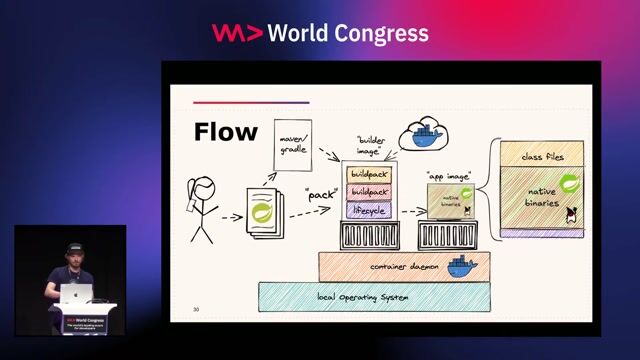
Simplifying local development with Docker Compose integration
What's (new) with Spring Boot and Containers?
Unlock full access
Log in or set up an account to access this feature and more.
02:50 MIN
Simplifying container startup with Docker Compose
Local Development Techniques with Kubernetes
Unlock full access
Log in or set up an account to access this feature and more.
02:17 MIN
Using Docker as a baseline for environment standardization
A Deep Dive into Development Environment Configuration Standards
Unlock full access
Log in or set up an account to access this feature and more.
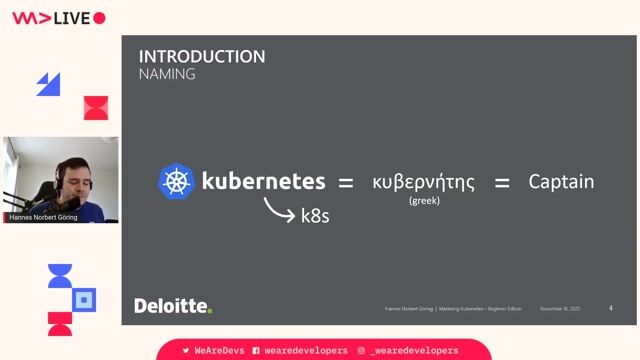
03:04 MIN
A review of containers and early orchestration tools
Mastering Kubernetes – Beginner Edition
Unlock full access
Log in or set up an account to access this feature and more.
02:20 MIN
Setting up a local development environment with Docker
Add Location-based Searching to Site with ElasticSearch
Unlock full access
Log in or set up an account to access this feature and more.
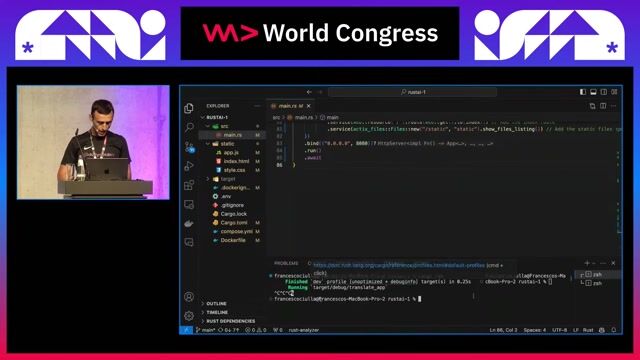
01:38 MIN
How to containerize a Rust application using Docker
Rust and Docker: Let's build an AI-powered app!
Unlock full access
Log in or set up an account to access this feature and more.
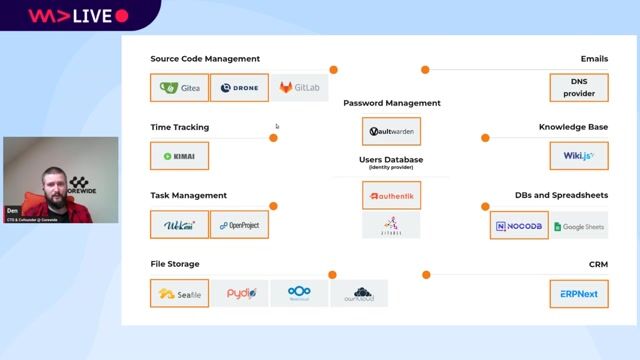
05:05 MIN
A bare metal hosting architecture with Docker Compose
Starting business without breaking the bank: Self hosted OSS productivity ecosystem
Unlock full access
Log in or set up an account to access this feature and more.
07:06 MIN
Understanding Docker fundamentals for application deployment
Rust and Docker: Let's build an AI-powered app!
Unlock full access
Log in or set up an account to access this feature and more.
Featured Partners
Related Videos
 40:00
40:00Local Development Techniques with Kubernetes
Rob Richardson
 43:39
43:39Reusing apps between teams and environments through Containers
Adrian Kosmaczewski
 42:25
42:25A practical guide to writing secure Dockerfiles
Madhu Akula
 25:56
25:56Rust and Docker: Let's build an AI-powered app!
Francesco Ciulla
 43:34
43:34Cloud Run- the rise of serverless and containerization
Marton Kodok
 50:09
50:09Compose the Future: Building Agentic Applications, Made Simple with Docker
Mark Cavage, Tushar Jain, Jim Clark & Yunong Xiao
 29:14
29:14What's (new) with Spring Boot and Containers?
Eva Panadero & maeddes
 29:16
29:16Docker exec without Docker
Oliver Seitz
Related Articles
View all articles


From learning to earning
Jobs that call for the skills explored in this talk.


Friedrich Kicherer GmbH & Co. KG
Ellwangen (Jagst), Germany
Junior
Intermediate
Senior
GIT
Docker
JavaScript

iits-consulting GmbH
Munich, Germany
Intermediate
Go
Docker
DevOps
Kubernetes


Mittwald CM Service GmbH & Co. KG
Espelkamp, Germany
Intermediate
Senior
Linux
Docker
DevOps
Kubernetes

PROSOZ Herten GmbH
Herten, Germany
Junior
Intermediate
Senior
Docker
DevOps
Kubernetes

MediaCologne Kommunikationsmedien GmbH
Hürth, Germany
Intermediate
Senior
Docker
Gitlab


Sector Nord AG
Oldenburg, Germany
Intermediate
Senior
Docker
InfluxDB
