Keren Kenzi
Extensionator - Rise of the Chromium
#1about 1 minute
Understanding the core components of a Chrome extension
Chrome extensions are built from several key parts including background scripts, content scripts, UI elements, and options pages.
#2about 3 minutes
Creating the basic manifest file for an extension
Start a new Chrome extension project by creating a folder and a `manifest.json` file with the three mandatory fields: name, version, and manifest_version.
#3about 2 minutes
Adding icons and a description to the manifest
Enhance the extension's presentation by adding an `icons` object and a `description` field to the `manifest.json` file.
#4about 5 minutes
Using a background script to intercept and redirect requests
Implement a `background.js` script that uses the `chrome.webRequest.onBeforeRequest` API to intercept navigation to specific URLs and redirect the user.
#5about 3 minutes
Requesting permissions and debugging the extension
Fix errors by adding a `permissions` array to the manifest for APIs like `webRequest` and `webRequestBlocking`, and use the extension management page for debugging.
#6about 9 minutes
Building a popup interface with browser action
Create a user interface that appears when the extension icon is clicked by defining a `browser_action` in the manifest and linking it to a popup HTML file.
#7about 3 minutes
Adding interactivity to the popup with JavaScript
Use a `popup.js` script to add event listeners to buttons, allowing users to create and cancel alarms with the `chrome.alarms` API.
#8about 8 minutes
Triggering desktop notifications from a background script
The background script listens for events using `chrome.alarms.onAlarm` and then creates a persistent desktop alert with `chrome.notifications.create`.
Related jobs
Jobs that call for the skills explored in this talk.


Matching moments
06:23 MIN
Introducing Demo Time for flawless live coding presentations
WeAreDevelopers LIVE - Demo Time, Live Coding, End-to-End Testing and more
Unlock full access
Log in or set up an account to access this feature and more.
05:49 MIN
Recap and resources for advanced extension development
Let's build a VS Code extension for automated refactorings
Unlock full access
Log in or set up an account to access this feature and more.
13:57 MIN
Using the Selenium IDE to record browser test scripts
Proactive monitoring and smoke testing in your production environment
Unlock full access
Log in or set up an account to access this feature and more.

01:57 MIN
Presenting live web scraping demos at a developer conference
Tech with Tim at WeAreDevelopers World Congress 2024
Unlock full access
Log in or set up an account to access this feature and more.
08:05 MIN
Q&A on extensions, testing, and development tools
Let's build a VS Code extension for automated refactorings
Unlock full access
Log in or set up an account to access this feature and more.
03:43 MIN
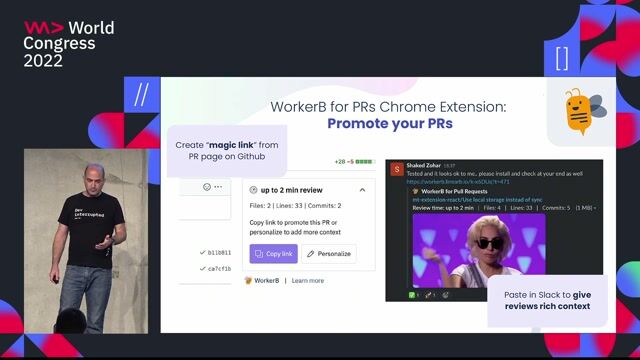
Adding context with browser and IDE extensions
How to Optimize Non-Coding Time
Unlock full access
Log in or set up an account to access this feature and more.
07:26 MIN
Use cases and the open source nature of Demo Time
WeAreDevelopers LIVE - Demo Time, Live Coding, End-to-End Testing and more
Unlock full access
Log in or set up an account to access this feature and more.
06:52 MIN
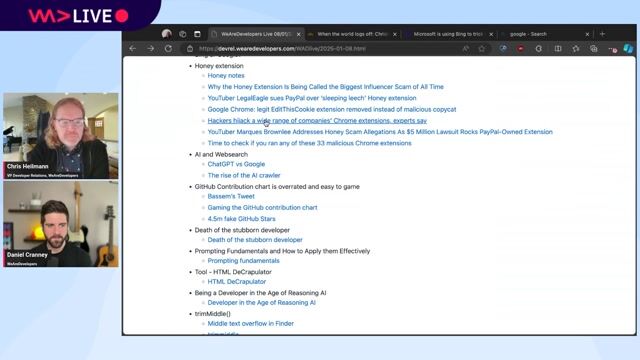
Understanding the security risks of malicious browser extensions
WeAreDevelopers Live: Browser Extensions, Honey Scam, Jailbreaking LLMs and more
Unlock full access
Log in or set up an account to access this feature and more.
Featured Partners
Related Videos
 44:43
44:43Explore new web features before everyone else
Nikita Dubko
 14:44
14:44Catching up on the basics you don't really need that much code
Chris Heilmann
 1:15:44
Using all the HTML, Running State of the Browser and "Modern" is Rubbish
Chris Heilmann & Daniel Cranney and David Letorey
 52:01
52:01Unleash your web skills on native!
Rowdy Rabouw
 1:02:27
WeAreDevelopers LIVE - Demo Time, Live Coding, End-to-End Testing and more
Chris Heilmann, Daniel Cranney & Elio Struyf
 1:01:25
WeAreDevelopers Live: Browser Extensions, Honey Scam, Jailbreaking LLMs and more
Chris Heilmann & Daniel Cranney
 44:11
44:11Vulnerable VS Code extensions are now at your front door
Raul Onitza-Klugman & Kirill Efimov
 1:40:08
Let's build a VS Code extension for automated refactorings
Nicolas Carlo
Related Articles
View all articles
.png?w=240&auto=compress,format)

.png?w=240&auto=compress,format)
From learning to earning
Jobs that call for the skills explored in this talk.


infomax websolutions GmbH
Grassau, Germany
Intermediate
Senior
CSS
HTML
JavaScript
TypeScript

doinstruct Software GmbH
Berlin, Germany
Senior
GIT
JavaScript
TypeScript


Codext GmbH
Wolpertshausen, Germany
€40K
HTML
Node.js
TypeScript
Tech Solutions Gmbh
GIT
HTML
Vue.js
Tech Solutions Gmbh
GIT
HTML
Vue.js
Tech Solutions Gmbh
GIT
HTML
Vue.js